Kubernetes + Rancher
There are tons of ways to start a Kubernetes cluster, and one of them is Rancher.
> Archived article from 2017, from the old nutellino.it: commands and versions may be out of date.
> Machine translation from Italian: the original is here.

There are tons of ways to start a Kubernetes cluster, and one of them is Rancher.
Rancher is very versatile because it lets you manage multiple Kubernetes clusters from a single unified web interface. It also lets you manage the cluster nodes: adding them, removing them, deploying applications through a webshell and more.
In this guide we'll see how to start a 5-node Kubernetes cluster, using 3 nodes as orchestrator + etcd and 2 nodes as plain computing (just running pods).
The requirements are:
- 1 machine with docker outside the cluster, where we'll start the Rancher server container
- 5 Ubuntu virtual machines, where we'll install the prerequisites and the various Kubernetes nodes
- familiarity with Kubectl commands for managing a Kubernetes cluster
- all nodes must be on the same network
So let's start by installing rancher server.
We run the command found in the quickstart https://rancher.com/quick-start/
sudo docker run -d --restart=unless-stopped -p 8080:8080 rancher/server:stableOnce it has finished starting up, just go to the IP address of the computer/server where we started rancher/server, e.g.: http://10.42.0.2:8080
Now we need to create a new Kubernetes environment inside Rancher; here's a short video on how to do it:

At this point we need to add the hosts, which will be our other 5 machines, so let's click on add a hosts.
Prerequisites for the cluster nodes:
- Docker installed at a version compatible with Rancher and Kubernetes http://rancher.com/docs/rancher/v1.6/en/hosts/
In short, we can install the right version of docker by running this command:
curl https://releases.rancher.com/install-docker/1.12.sh | shFirst of all, let's create the 3 master + etcd nodes; for those who have never used Kubernetes, these are the nodes that manage the workload inside the cluster and hold the state information (etcd)
You'll be asked for the public address of rancher server reachable from the other machines: enter the IP on the shared LAN.
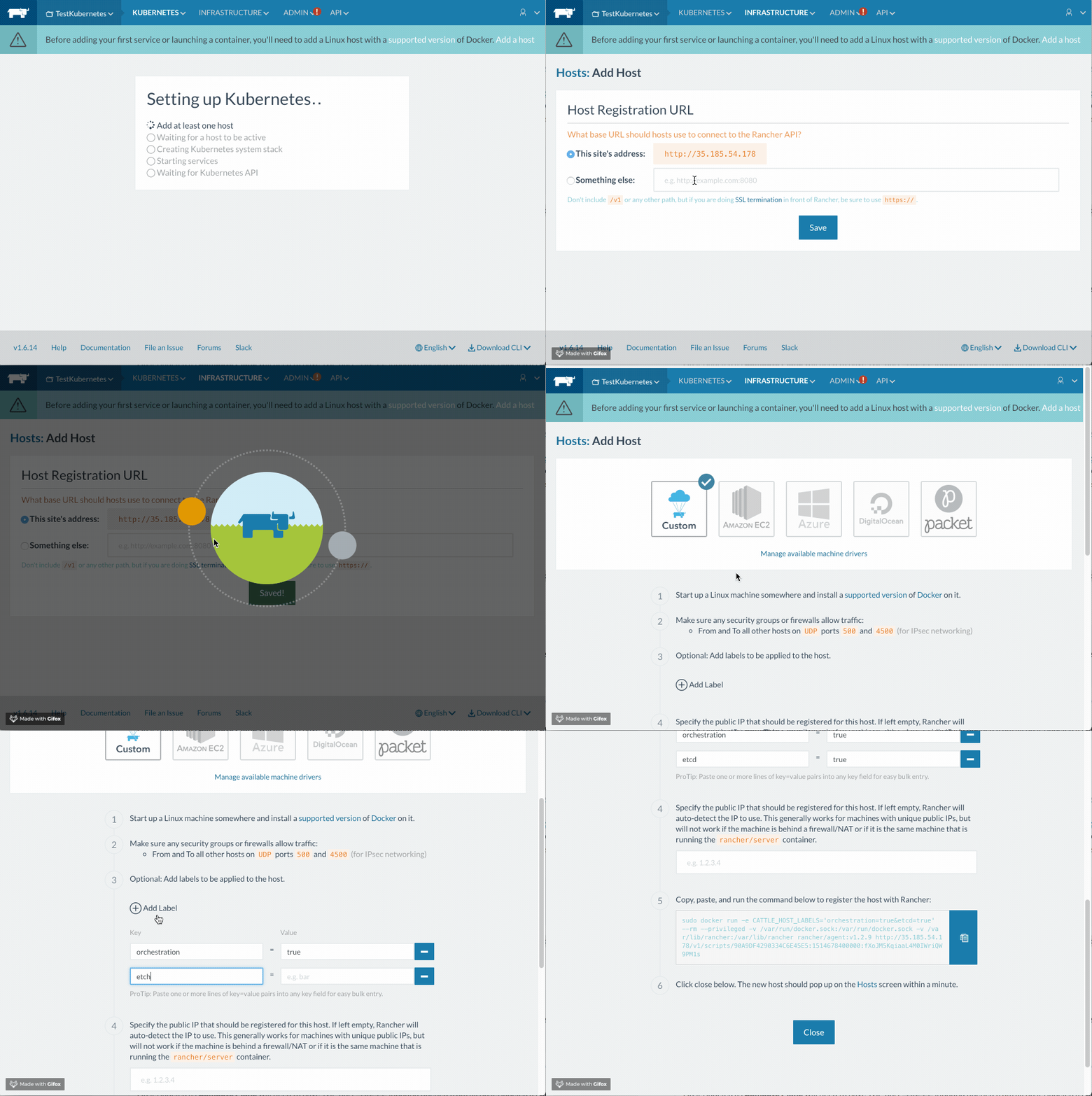
Let's take the command we just copied and run it on the first three nodes: this starts a privileged container that will begin installing the Kubernetes services on the node. Note that two labels have been added, orchestration and etcd set to true.
NB: Start one container at a time and wait until all the services are active in the hosts screen.
We'll see something like this:
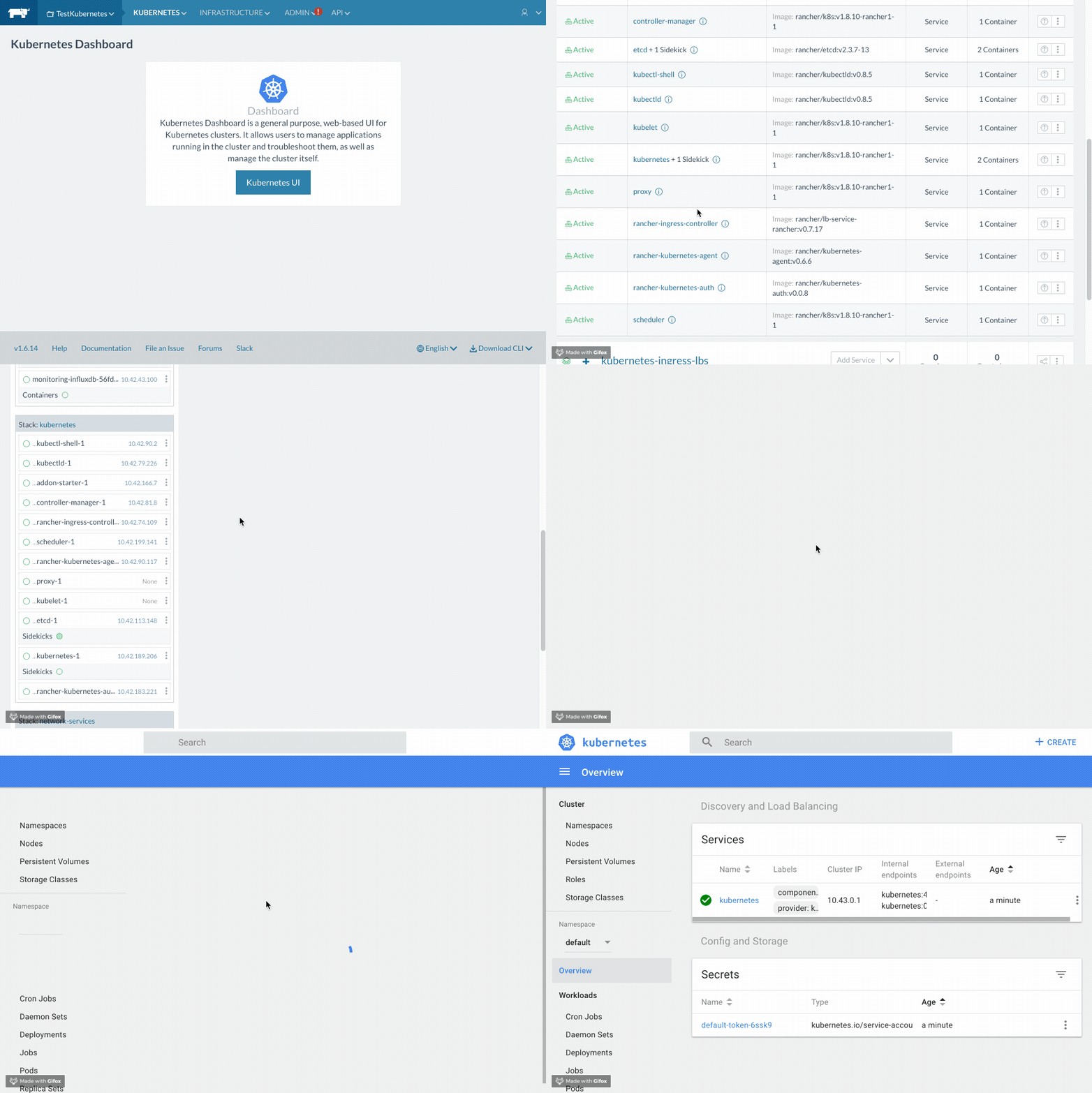
You'll have to wait until all the services have a green dot. Once the first host is active, we can connect to the Kubernetes UI and check its status. At this point we can go ahead and add the other two master nodes, one at a time.
Once the installation is complete, we'll have something like this:
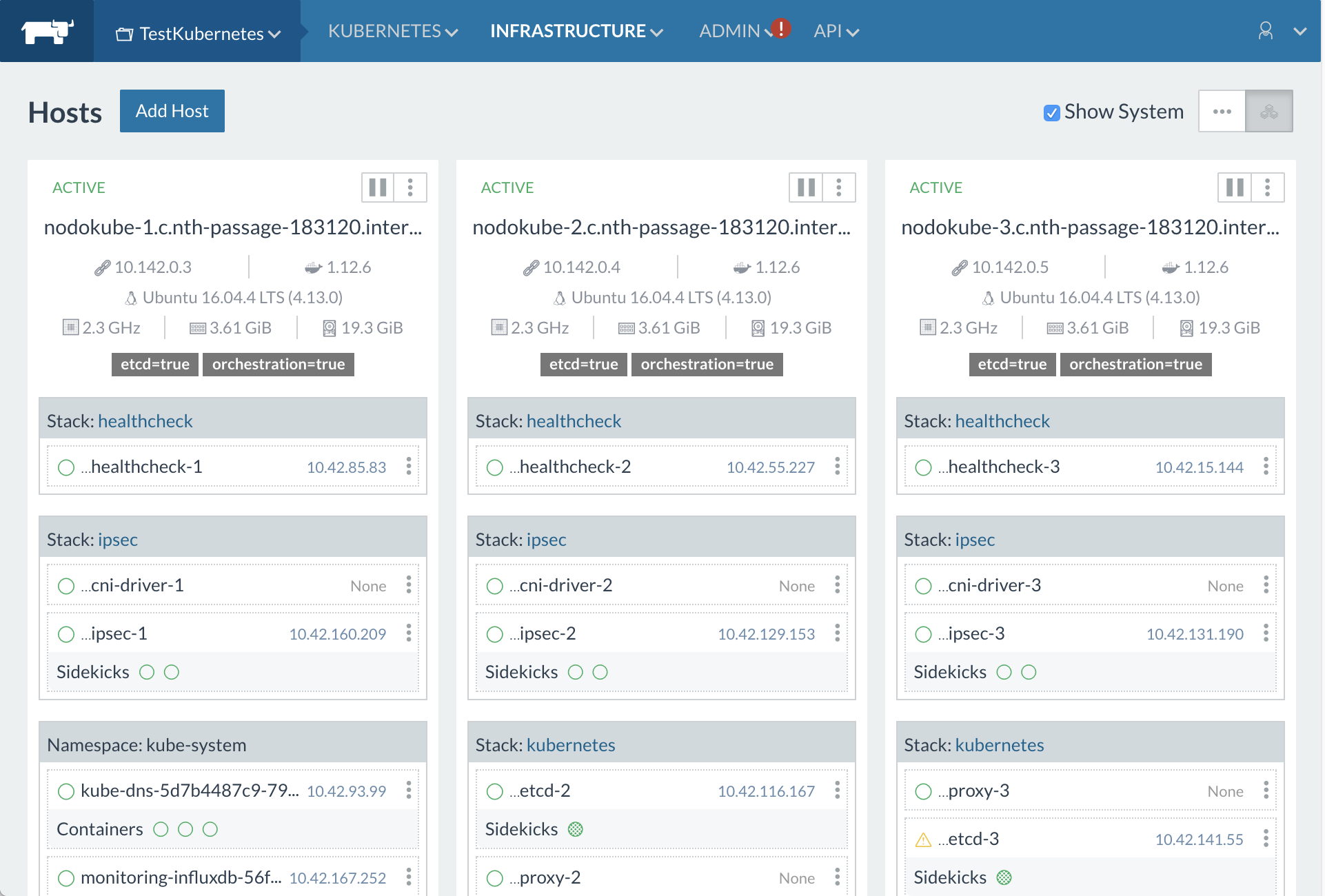
So let's move on to starting the two computing nodes:
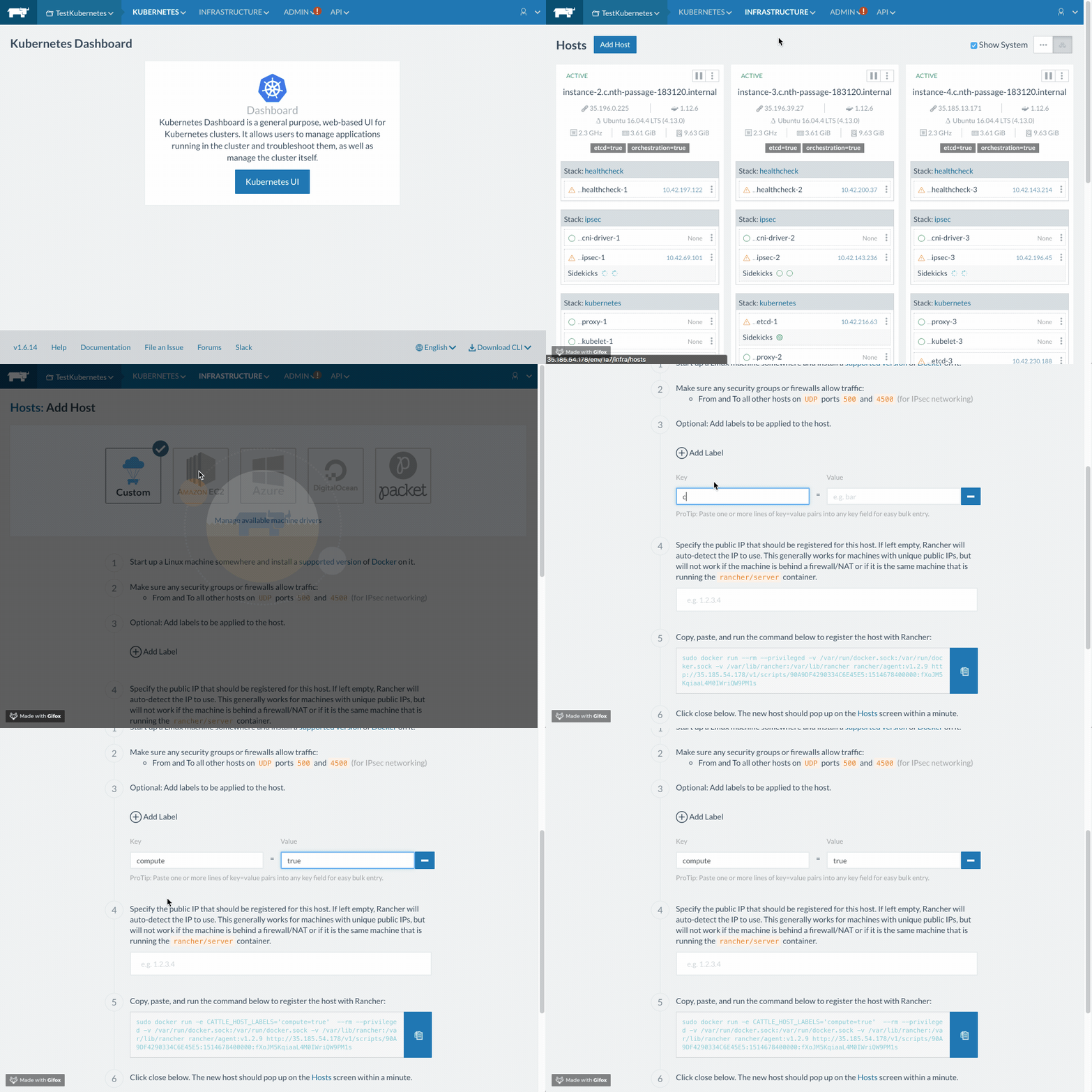
Note that in this case only the compute label set to true has been added.
Let's run the command we just copied on the other two machines, and wait for them to come online too.
At the end of the whole setup, we can start using our Kubernetes cluster! First, let's check from the webshell that the system is up, with the command:
kubectl get nodesWe'll get output like the following:
NAME                                       STATUS    ROLES     AGE       VERSION
nodokube-1.c.nth-passage-183120.internal   Ready     <none>    17m       v1.8.10-rancher1
nodokube-2.c.nth-passage-183120.internal   Ready     <none>    14m       v1.8.10-rancher1
nodokube-3.c.nth-passage-183120.internal   Ready     <none>    9m        v1.8.10-rancher1
nodokube-4.c.nth-passage-183120.internal   Ready     <none>    4m        v1.8.10-rancher1
nodokube-5.c.nth-passage-183120.internal   Ready     <none>    4m        v1.8.10-rancher1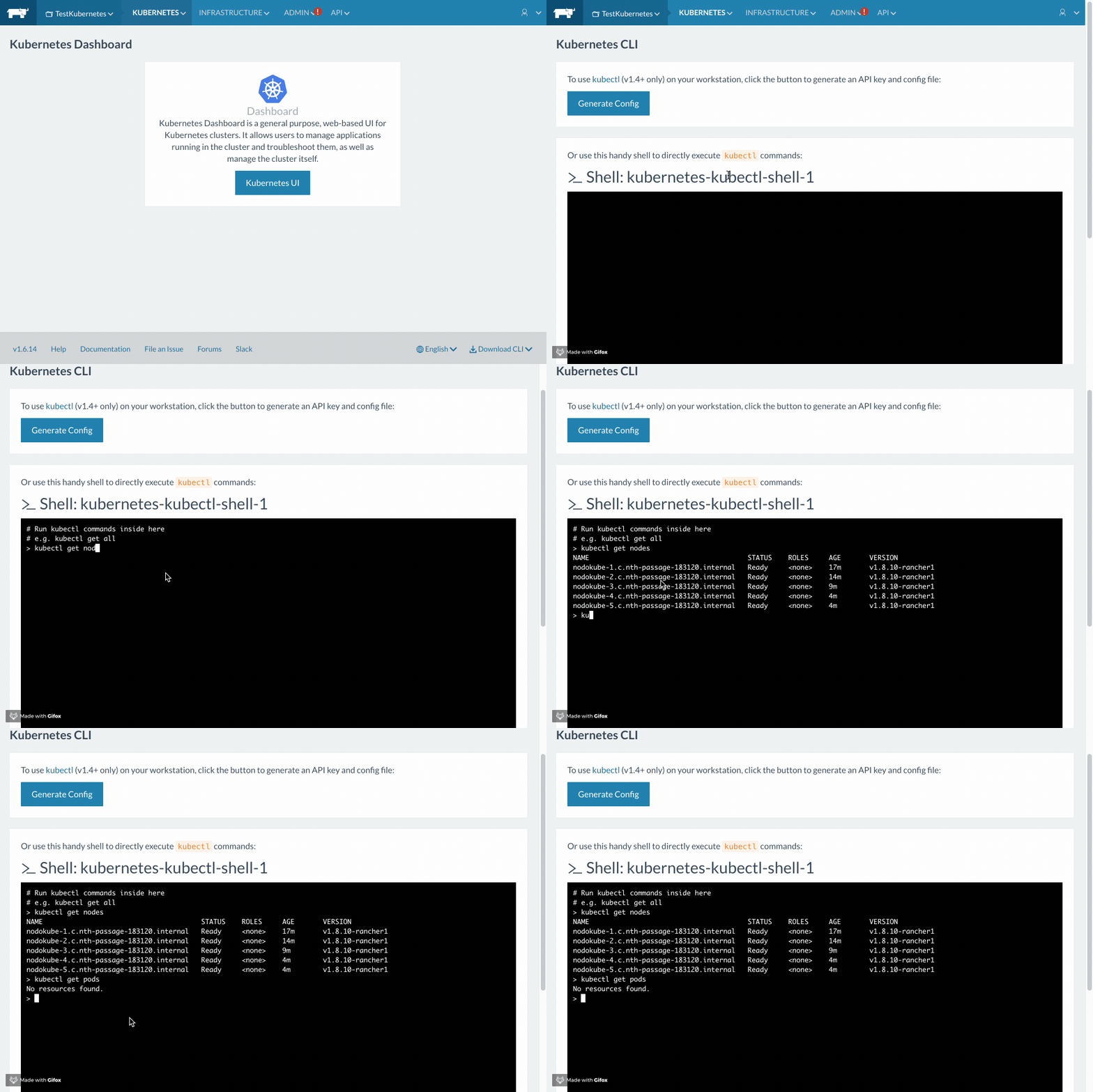
That wraps up the guide on installing a Kubernetes cluster with Rancher.
Soon we'll see how to handle automatic provisioning of persistent volumes inside the cluster using heketi
🙂
$ cat ~/archivio/kubernetes-rancher.md
WARNING: this file is from 2017.
I wrote it, but a me from a few years ago: it may no longer reflect what I think or what I can do.
NOTE: machine translation from Italian, the original is here.
Continue? [y/N]